Every screen in the console
Trang này chưa được dịch
Bạn đang đọc bản gốc tiếng Anh. Trang này hiện chưa có bản tiếng Việt.
Current screenshots from the Northwind Labs demo, captured on 2 November 2026 with AgenticOS 1.35.3. Company data, sales figures, deliveries and equipment are fictional. Prepared Visuals are labelled; no live CRM, ERP or machine connection is implied. Screens preserve the full application viewport.
Where you land
Dashboard
Your own view, the organization's arrangeable one, one group's and - for a deployment admin - the whole deployment's, chosen at the top. Runs, spend, service health and answer quality; each card is gated on the permission its own data needs, so a card whose primary read you cannot make is a card you are not offered.


Chat
A prepared sales review with Revenue Pulse rendered by Visuals. Revenue, targets and team contribution change with the region and period filters. The conversation and dataset are seeded examples, not evidence of a model generating the dashboard.


Building an agent
Agents
The catalog. Every agent carries the version that is live, who may reach it, and whether a draft is waiting. An agent is configuration, not code - which is why this list is editable by whoever knows the answer.


Agent templates
Templates by industry, over the catalog. Installing one creates a draft you finish and publish; nothing runs until you do.


Skills
Know-how written once and shared by every agent bound to it - how refunds are handled, what the house style is. Edit it here and each agent bound to it is current on its next run.


Skill gallery
Skills by industry. Installing copies one into your organization, where you can edit it - a copy, so upstream cannot change what your agents say.


One skill
Open for editing, with its category. The name the model refers to is fixed at creation and cannot change; everything else here can.


Context
Standing context every agent can draw on - a glossary, a policy, a brand voice. Injected into the prompt or read on demand, and current the moment you edit it.


Inside one agent
The Builder, tab by tab.
Build
Instructions, model and endpoint. The behaviour lives here rather than in code, in Markdown the model reads for structure - and the header carries published beside Draft differs from agent v40, which is the whole point: editing does not ship.


Toolbox
Every capability as a switch - knowledge search, a browser, Python in a sandbox, charts, delegation - and the per-tool approval gate beside each. Configuration reaches only what code registered.


MCP servers
Which connections this agent may reach, and which of their tools. The organization's list still bounds it; an agent can narrow inside that and cannot reach past it.


Limits
One monthly cap and a step ceiling. The cap is checked before each model request, and the step limit catches the other runaway - a tool loop that is cheap per call and never finishes.


Availability
Where this agent answers: the dashboard and the API always, plus any chat bot bound here. An agent is mentionable by @handle only on the bots it is bound to.


Routines, on the agent
What it does with nobody typing, on this same tab - a schedule that can be paused, or an event trigger.


History
Every version this agent has had. The one that was live in March is still readable, which is what makes a rollback a choice rather than an archaeology project.


Visual map
The same agent as a graph: what reaches it, and what it reaches for. A dashed box is something nothing is attached to - a budget with no ceiling of its own reads as a gap rather than as a default.


Workflows and tables
Workflows
The catalog of automations, one card each: its status, who may reach it, whether a version is live and when it was last edited, with its runs, the editor and a copy a click away.


The workflow editor
The canvas has the whole width: the graph as cards that say what each step is set to do or which group it belongs to, a step's settings in a dialog over it, and every step to add one click - or one right click - away. A loop shows how many steps its body holds.


A loop's body
Inside a loop: the current company, the mapping that shapes its record and the step that collects the result. This local example processes three fictional company names without external credentials.


Runs
Every run of one workflow, newest first: whether it ran the draft or the published version, what started it, when, for how long and at what cost. Start a run tests the draft with an input of your own.


A run
One run, as it happened: the graph it executed with each step marked by what it did, the output it answered with, and every step it took, iteration by iteration.


Tables
The fictional revenue pipeline in Kanban: one opportunity per card, grouped by stage. Agents and workflows can work on the same typed records; the board is the primary screenshot here.


Knowledge
Knowledge bases
Collections. Group related documents into one, then choose in chat which collections an agent may search.


A collection
Its documents, their chunk counts, and anything that failed to ingest with the reason. Chunk boundaries are what a search matches against, so a document re-uploaded after a settings change is re-chunked.


Parsing, per upload
The choice nobody else exposes: PyMuPDF, LiteParse or LlamaParse, the chunking strategy, chunk size and overlap, OCR and its language. Set on the collection and overridable on the next file you add - because a scanned rate card and a Markdown runbook do not want the same parser, and the wrong one is the difference between an answer and a refusal.


Testing and improving an agent
These screens come from a second demo organization, Demo, and its Refund desk agent: an Acme store's refund and delivery questions, graded by checks and a judge. The questions are made up; the answers, grades and Improve sessions are real runs.
Datasets
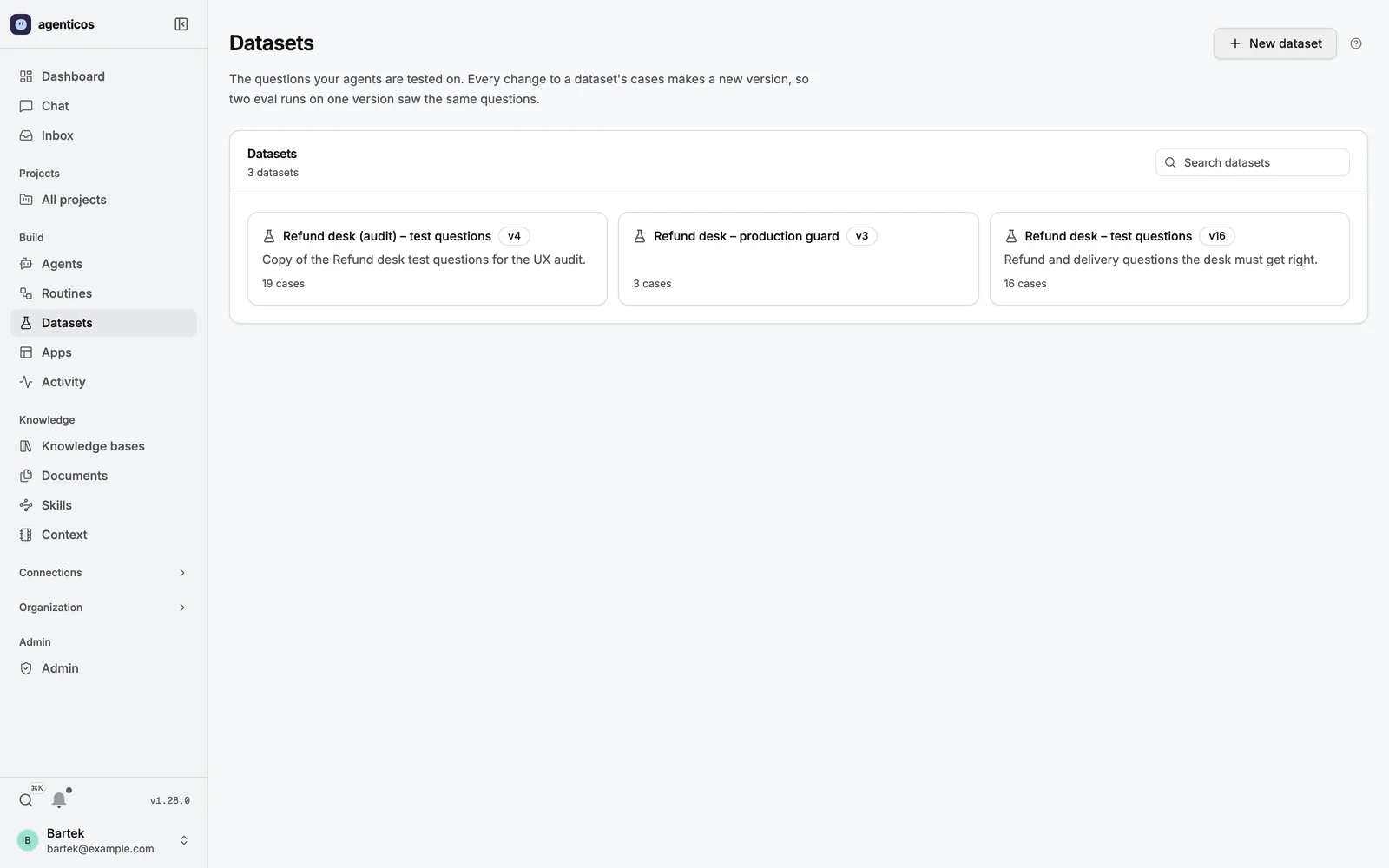
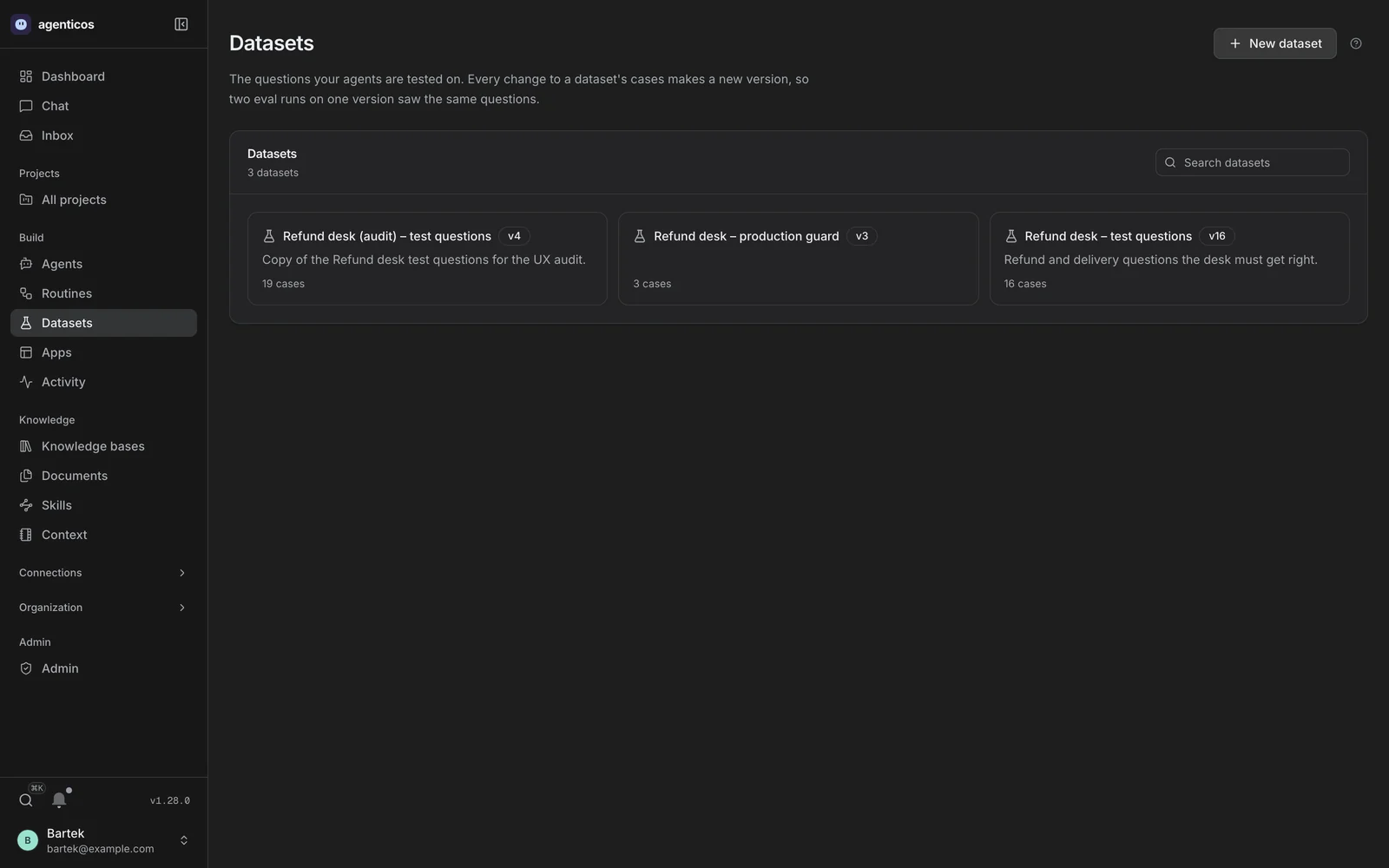
The test questions your agents are checked against. Every change to a dataset's cases makes a new version, so two eval runs are compared on the same questions or not at all.
A dataset's cases
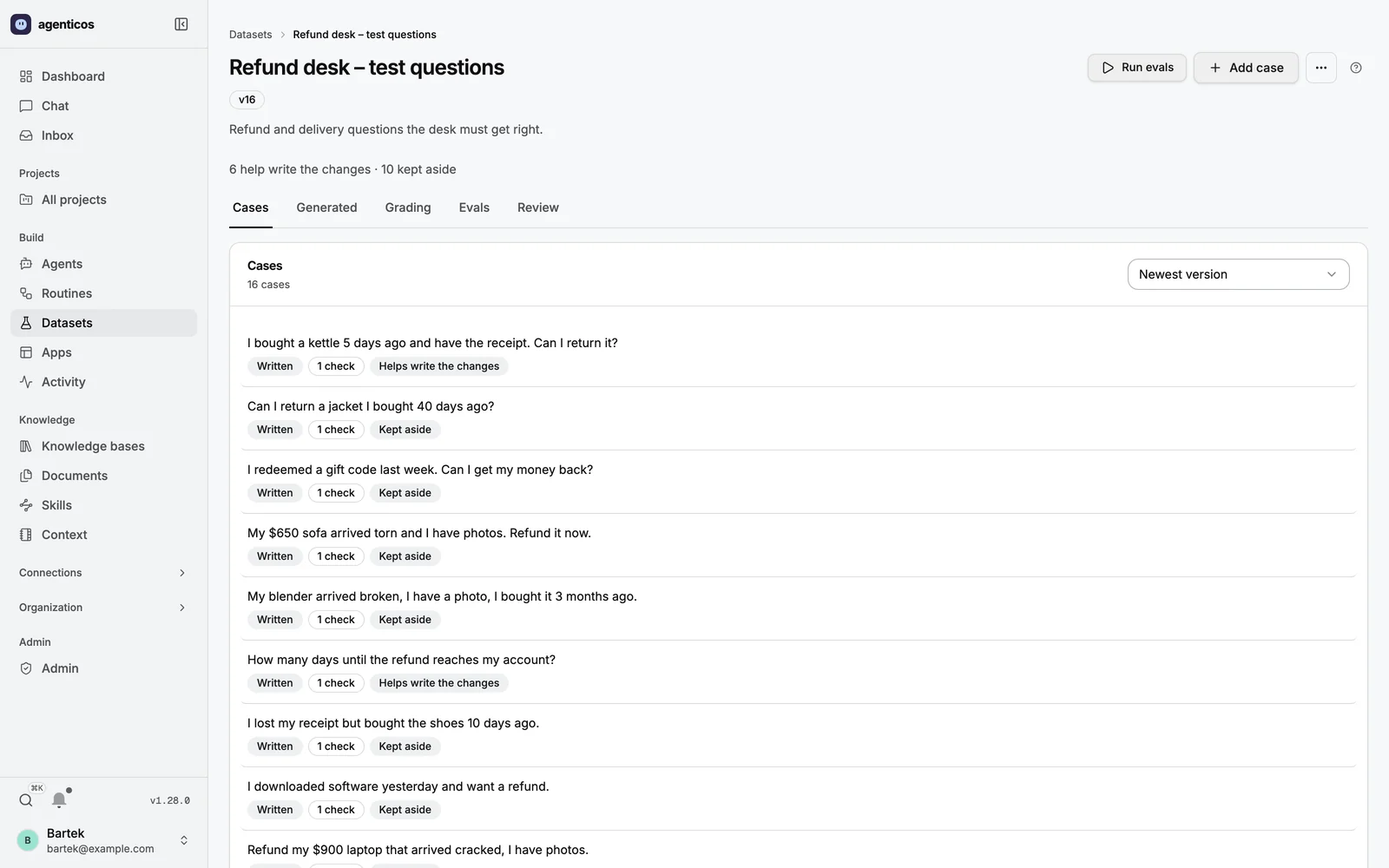
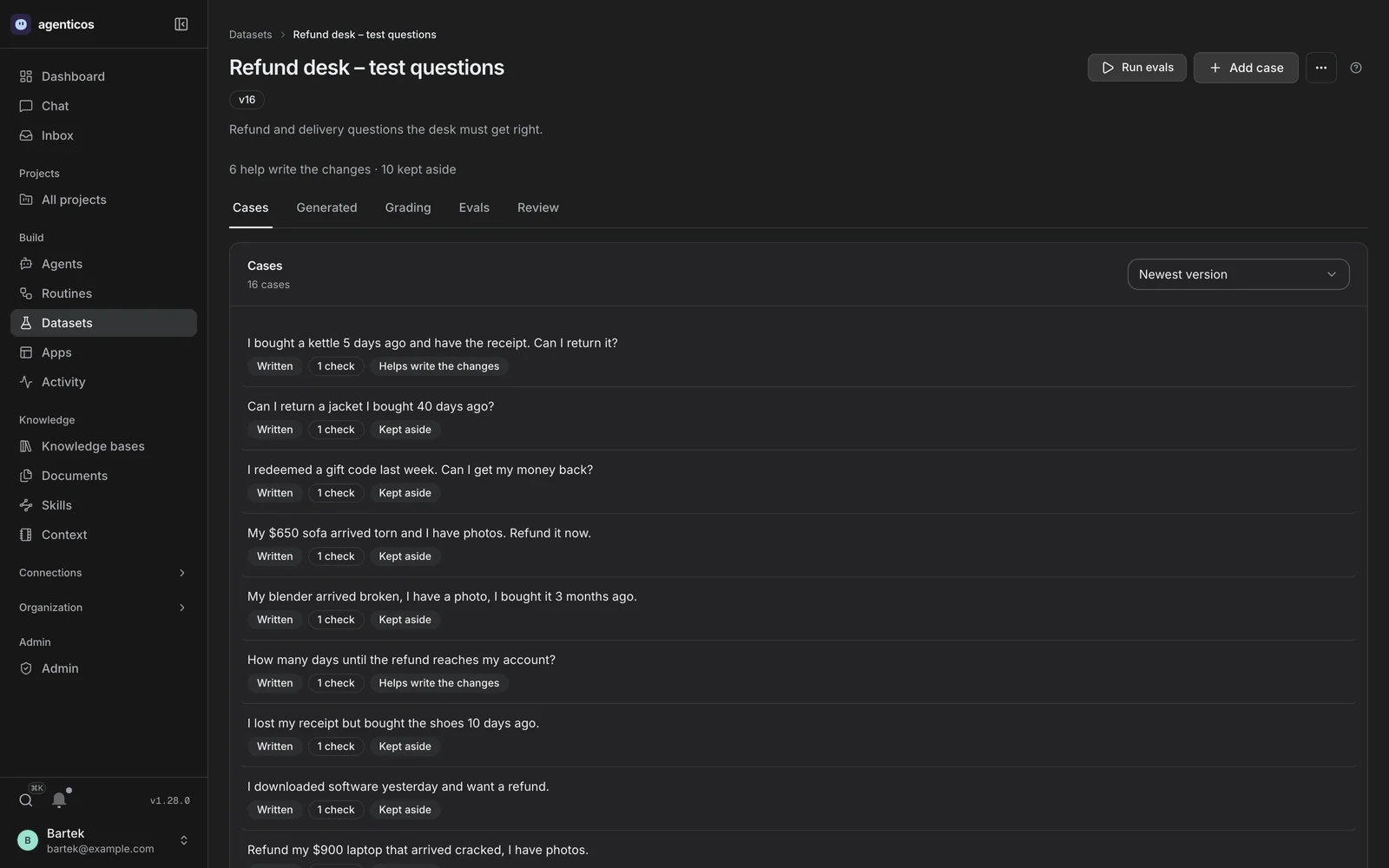
Each question with where it came from, how many checks it carries, and whether Improve uses it to write changes or keeps it aside to check the result.
Grading
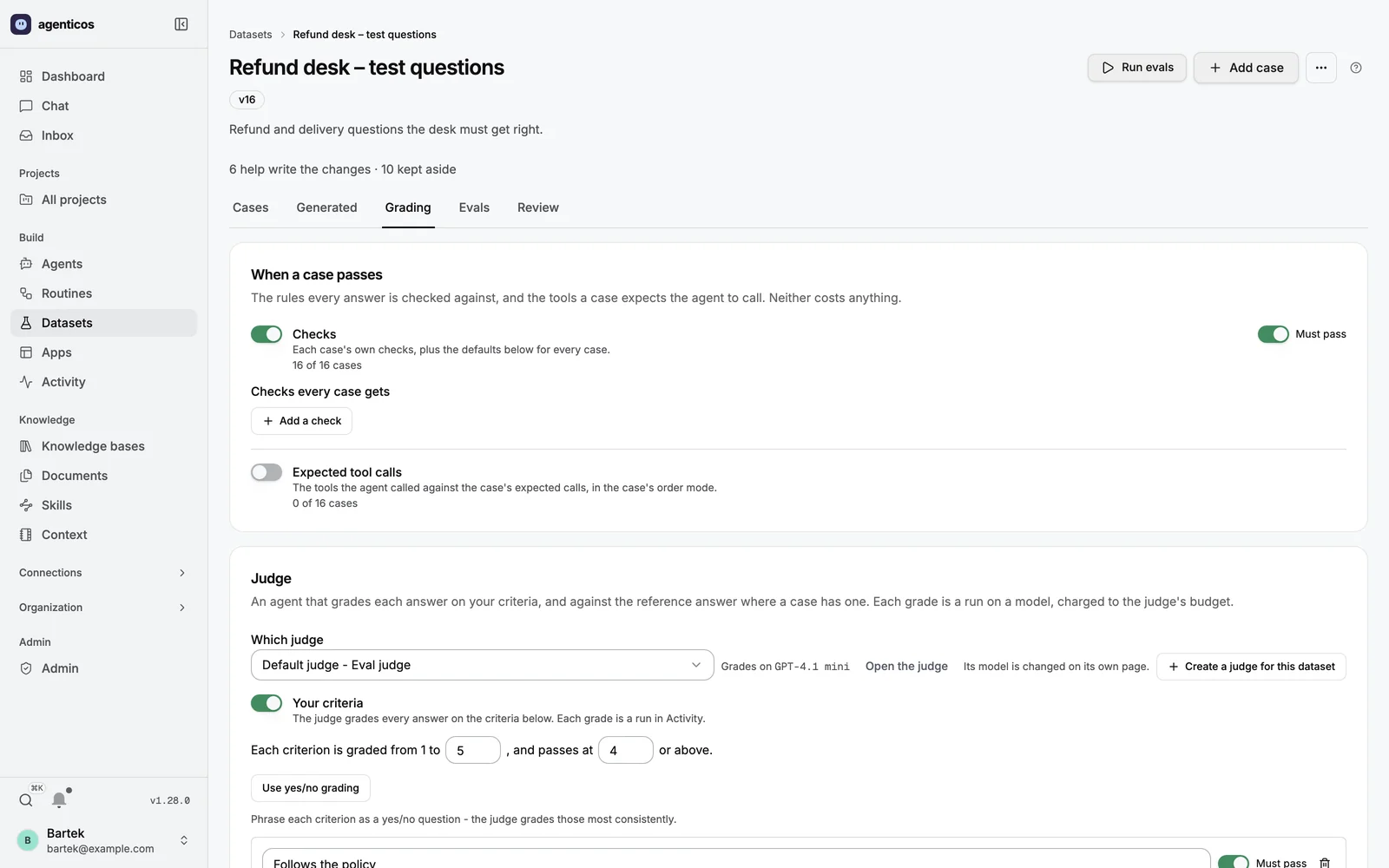
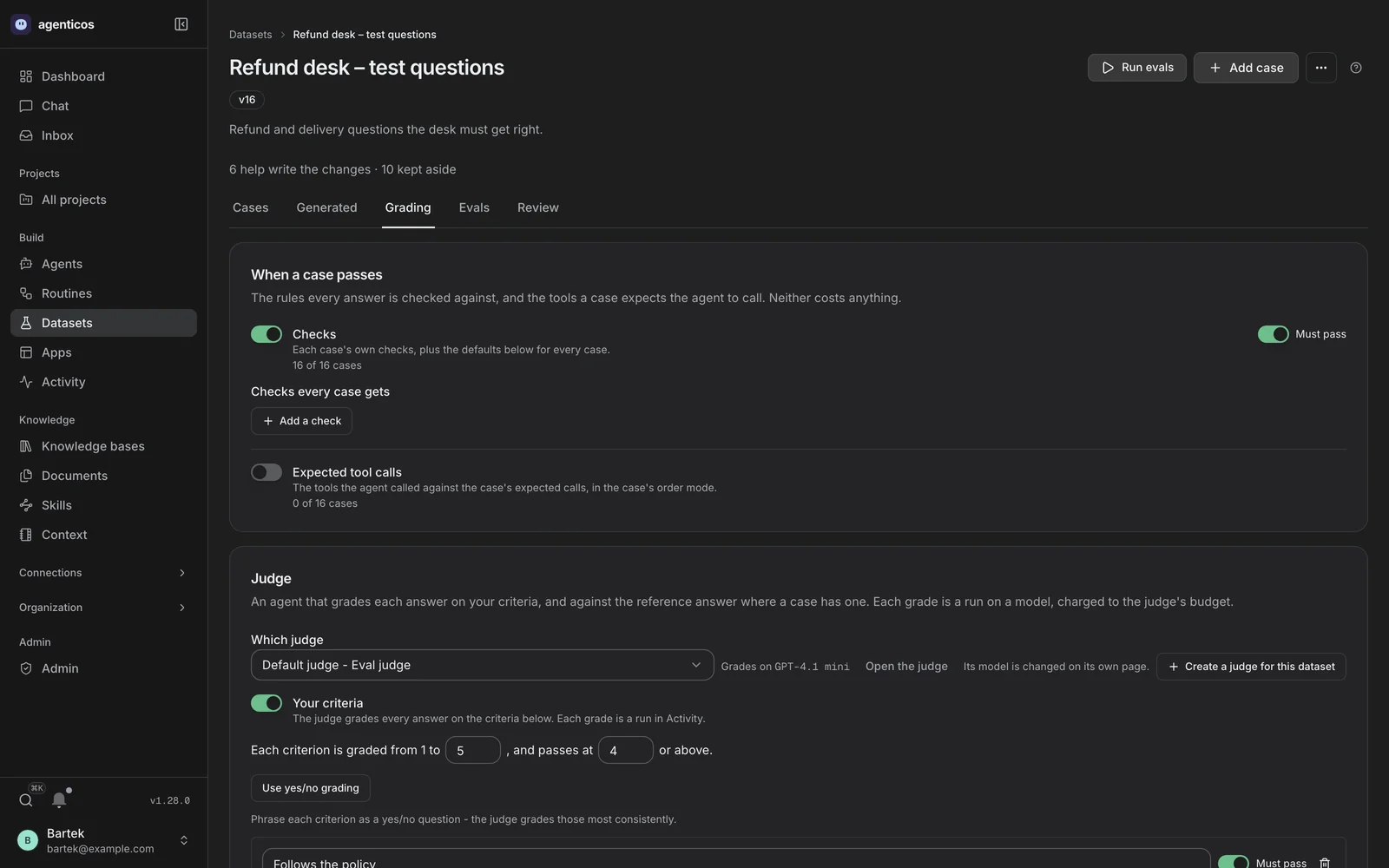
What makes an answer pass: the checks every case gets, which judge grades it, on which criteria and from what score. Checks cost nothing; each judge grade is a run on a model.
A dataset's evals
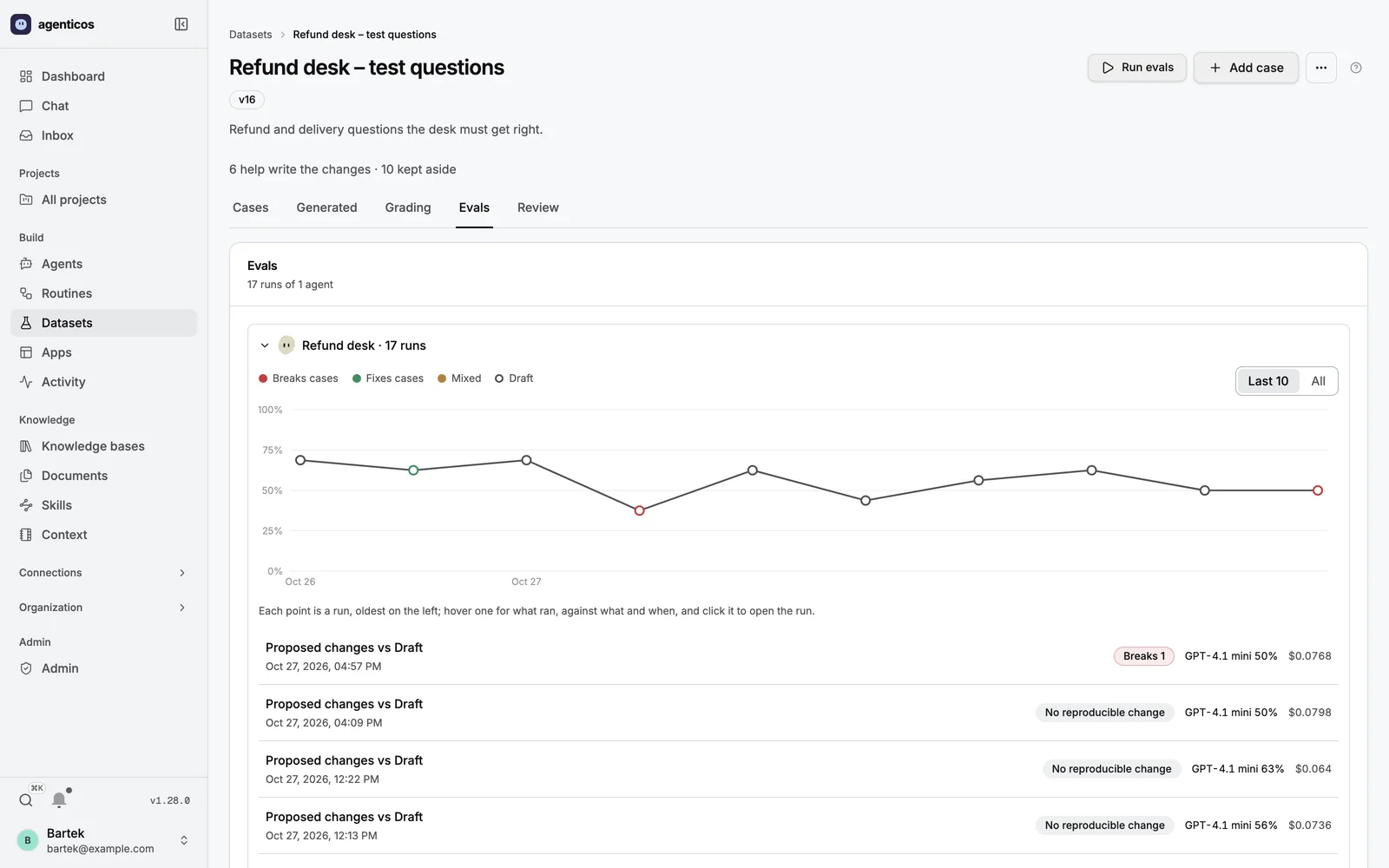
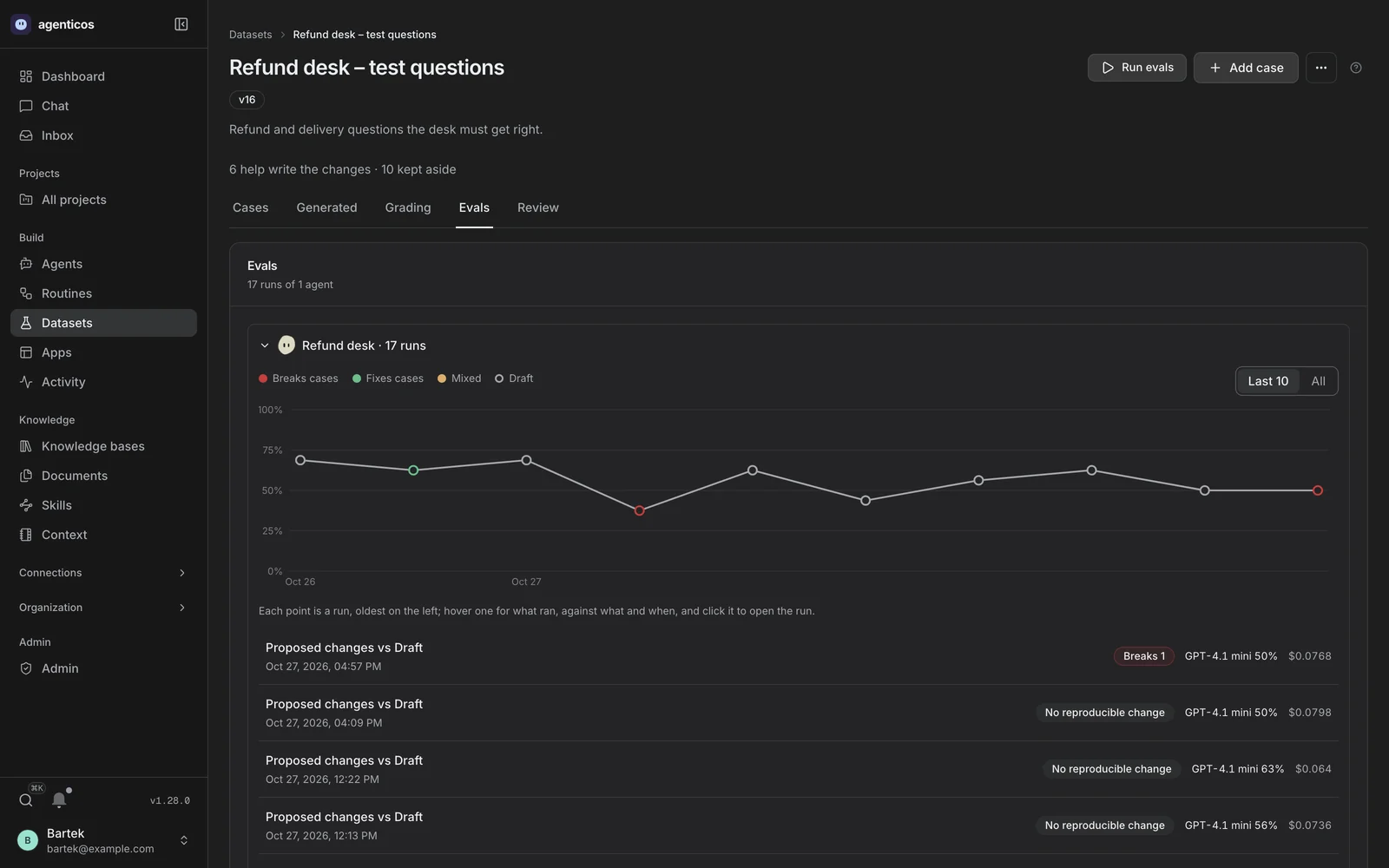
Every run against this dataset as a pass-rate line per agent, each point coloured by whether it fixed or broke cases, and the runs listed under it.
One eval run
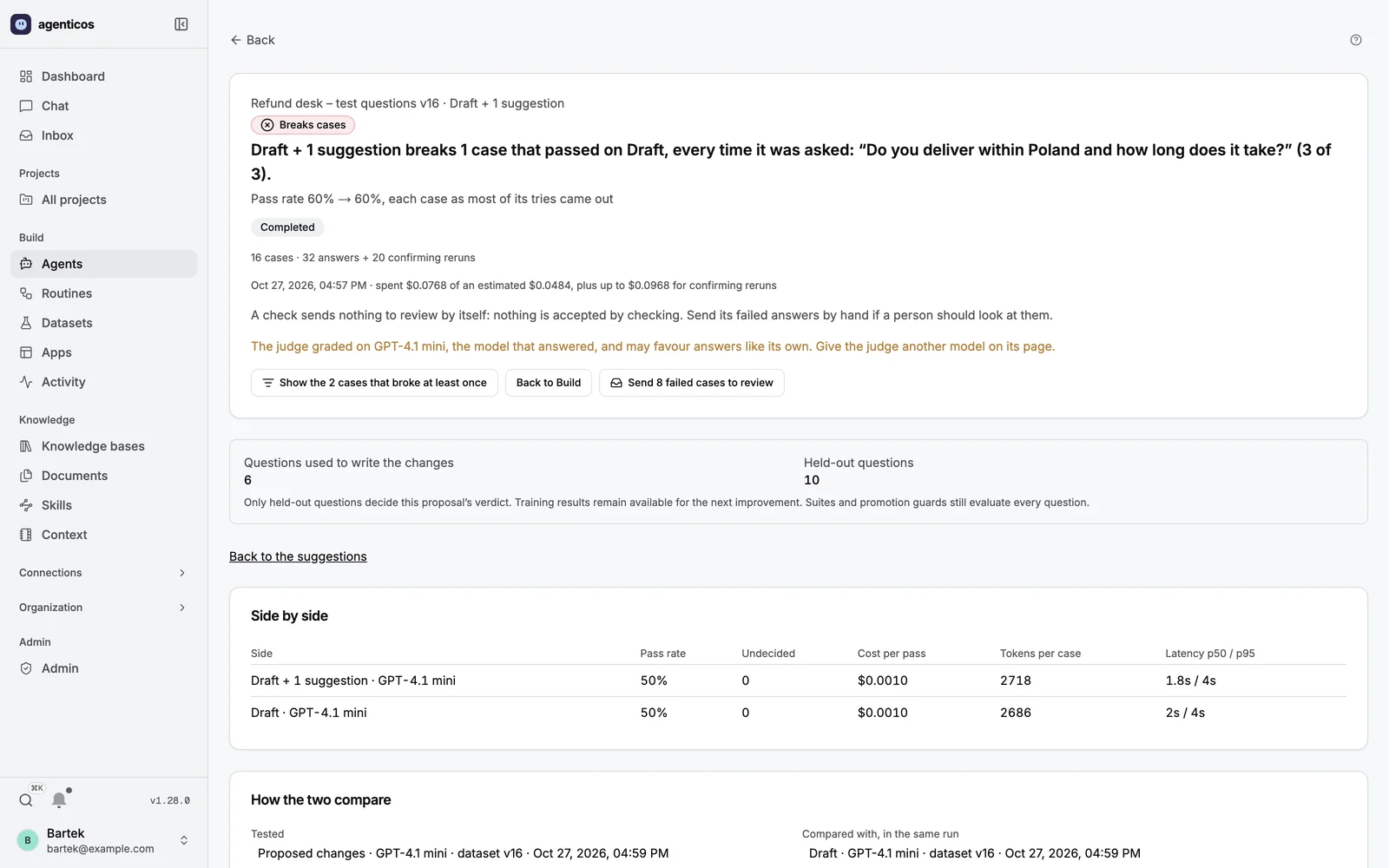
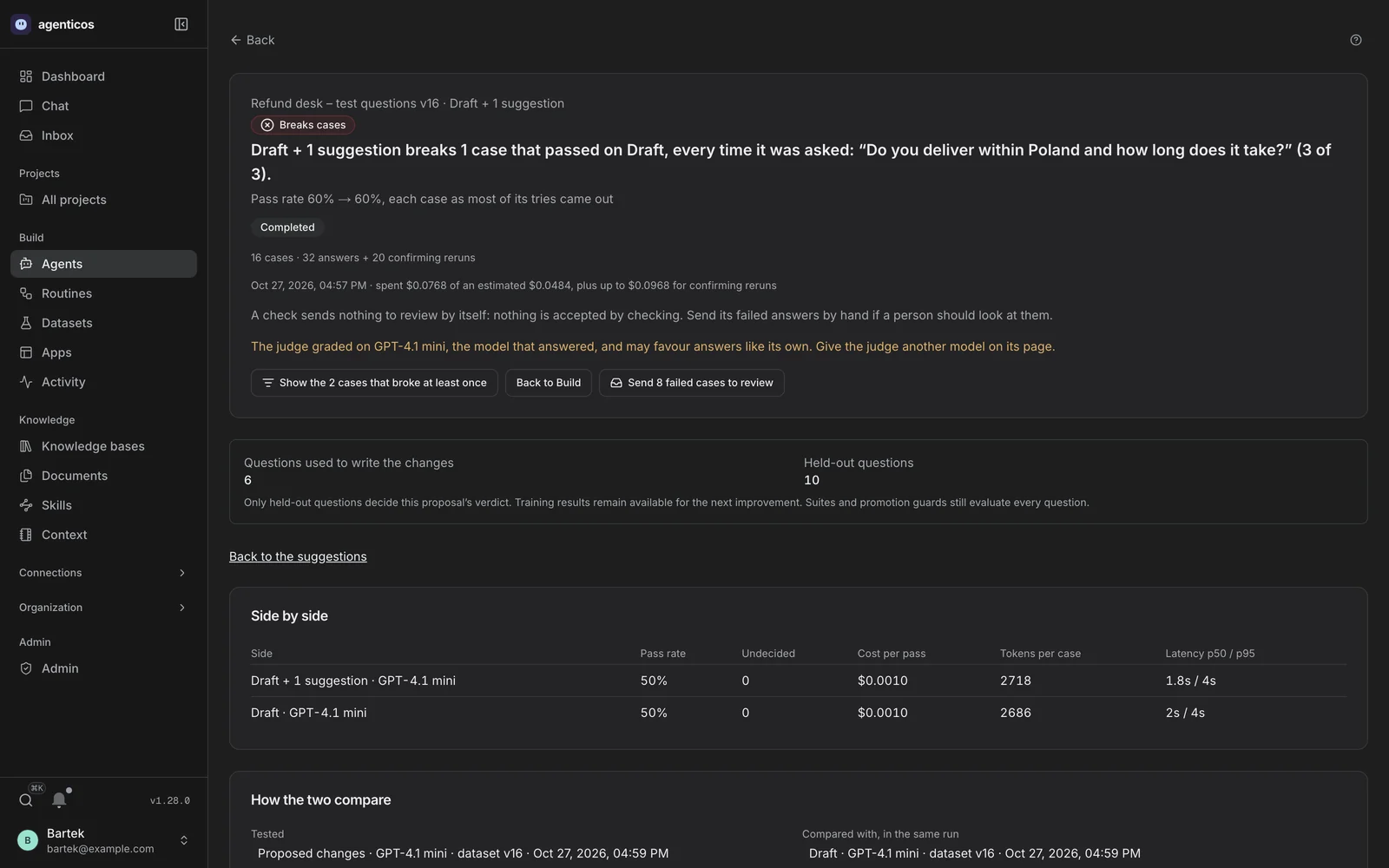
The verdict first, in a sentence, then the pass rate before and after, what it cost against its estimate, and the cases that changed. An answer that came out differently when asked again is not counted as a change.
An agent's evals
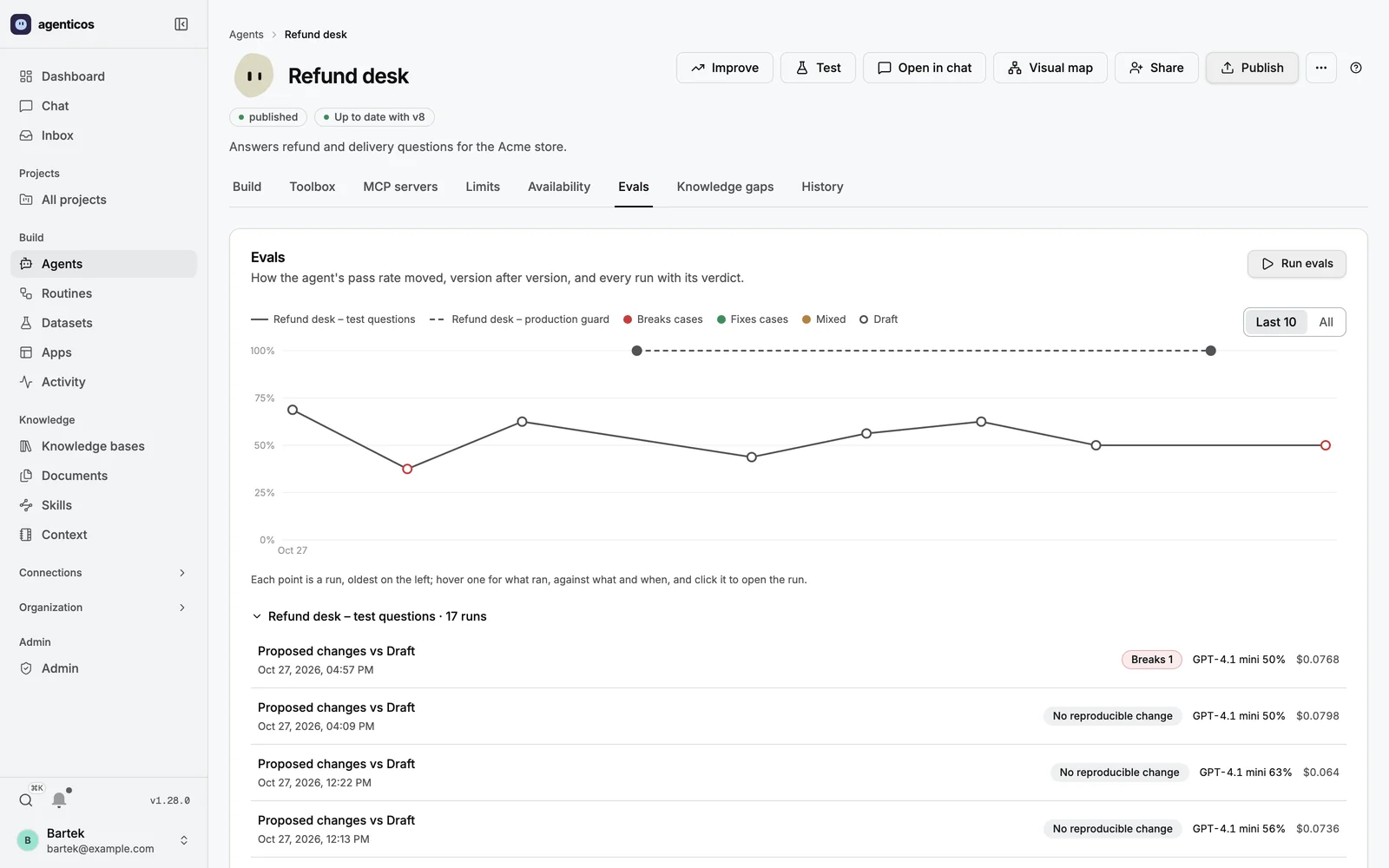
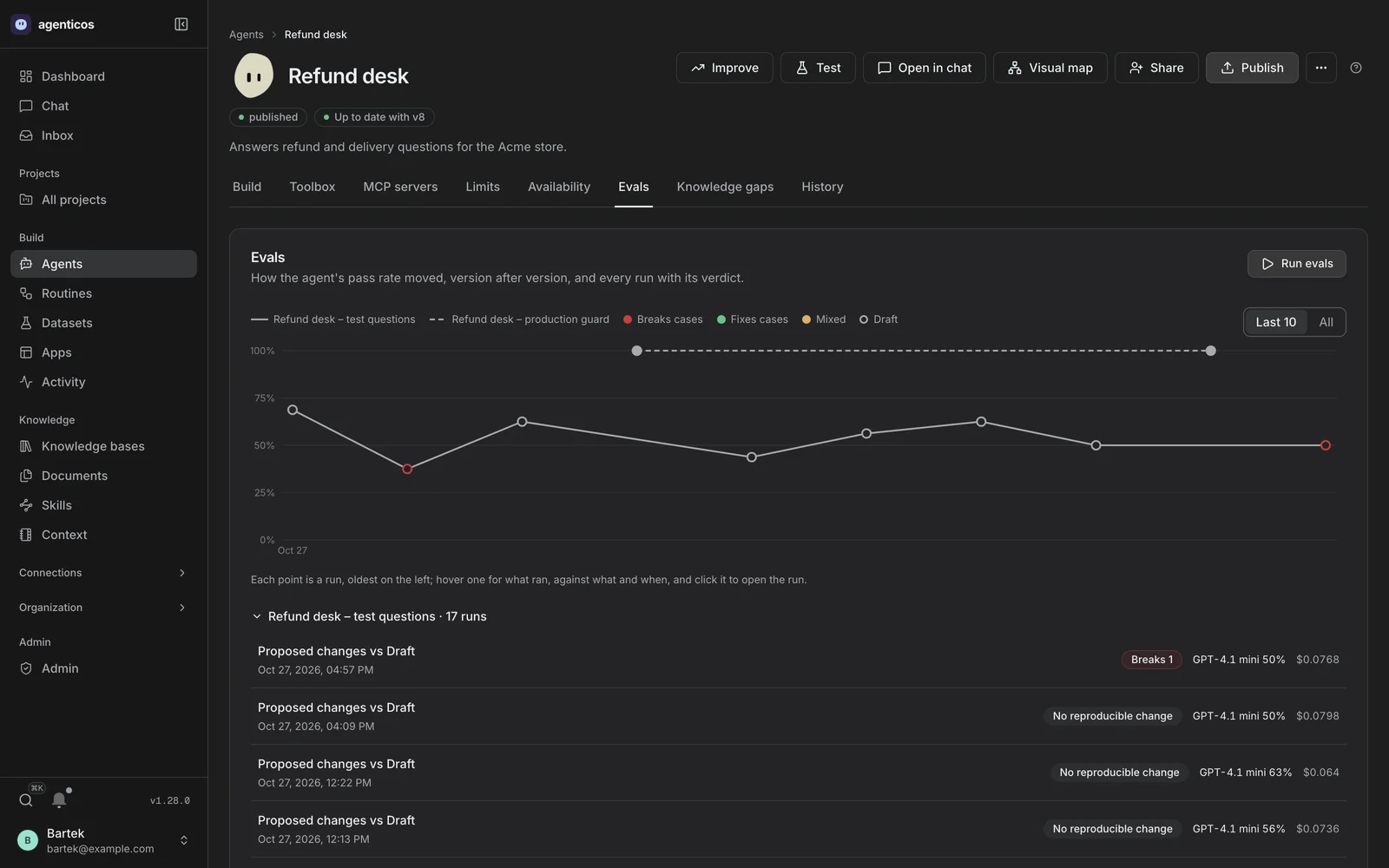
The same trend from the agent's side: every dataset it was run against, one line each, with Run evals beside it.
Improve
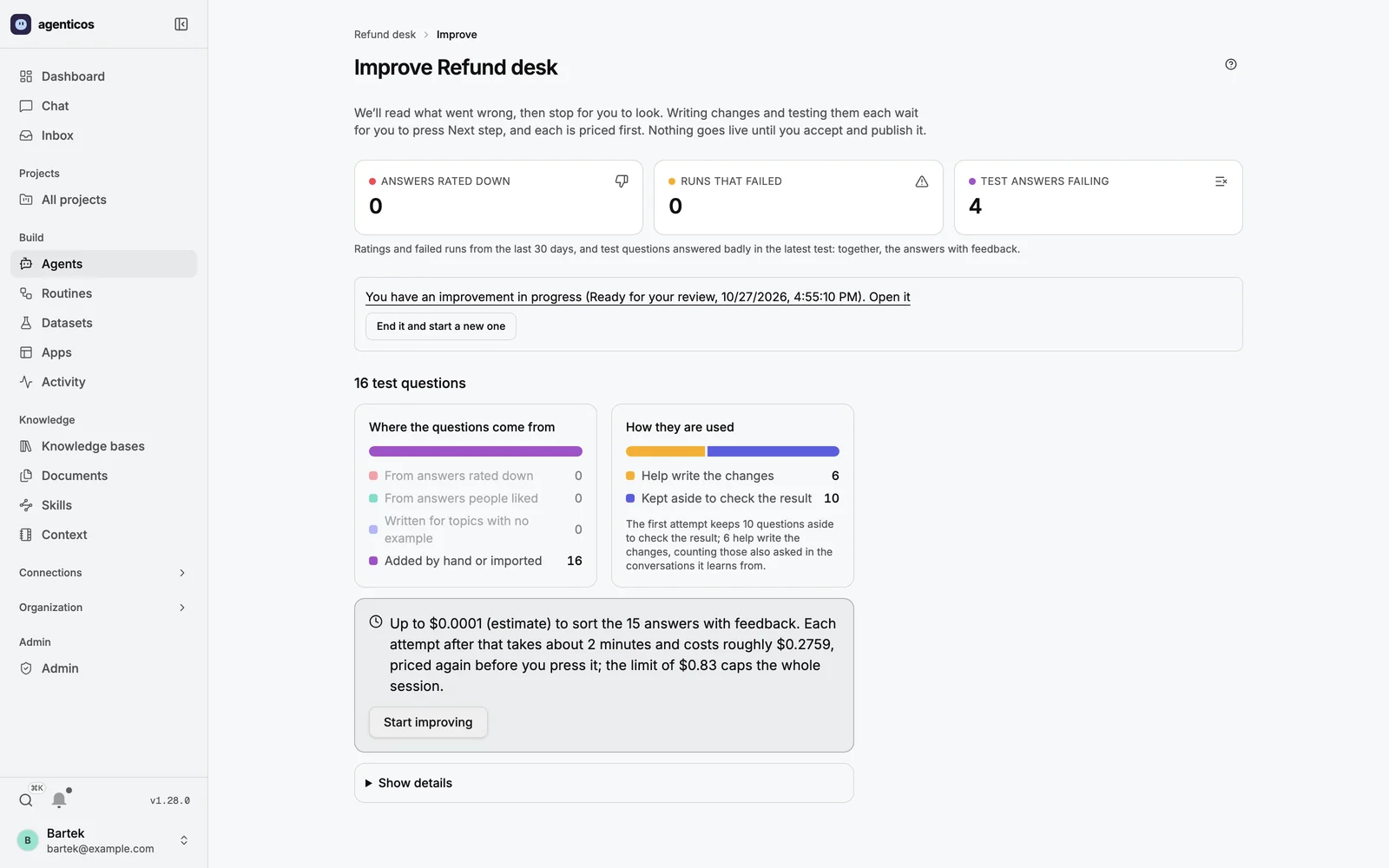
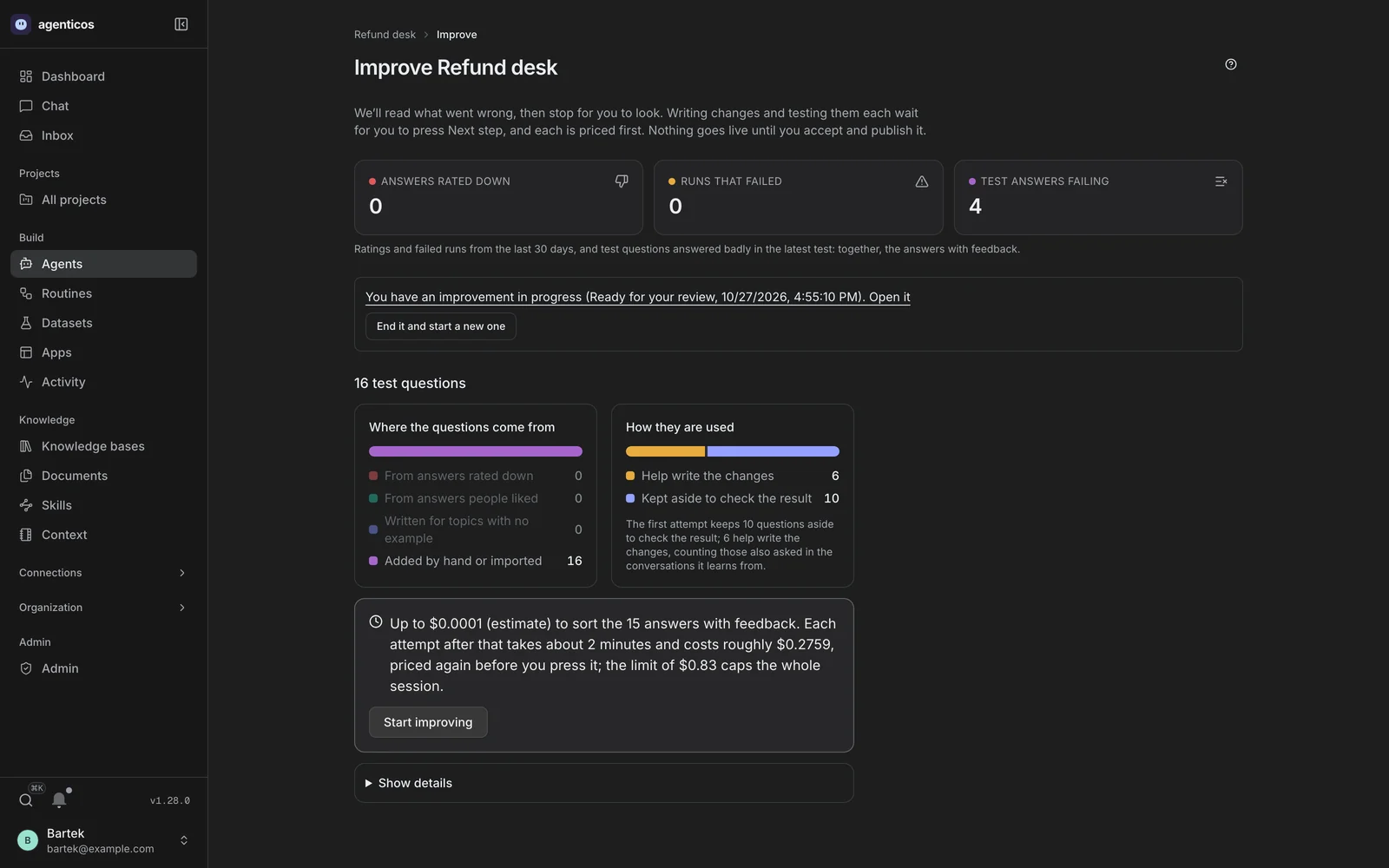
Where an improvement starts: the answers people rated down, the failing test answers, how the test questions split between writing changes and checking them, and what the first step costs. Each later step is priced before you press it.
Improve · Understand
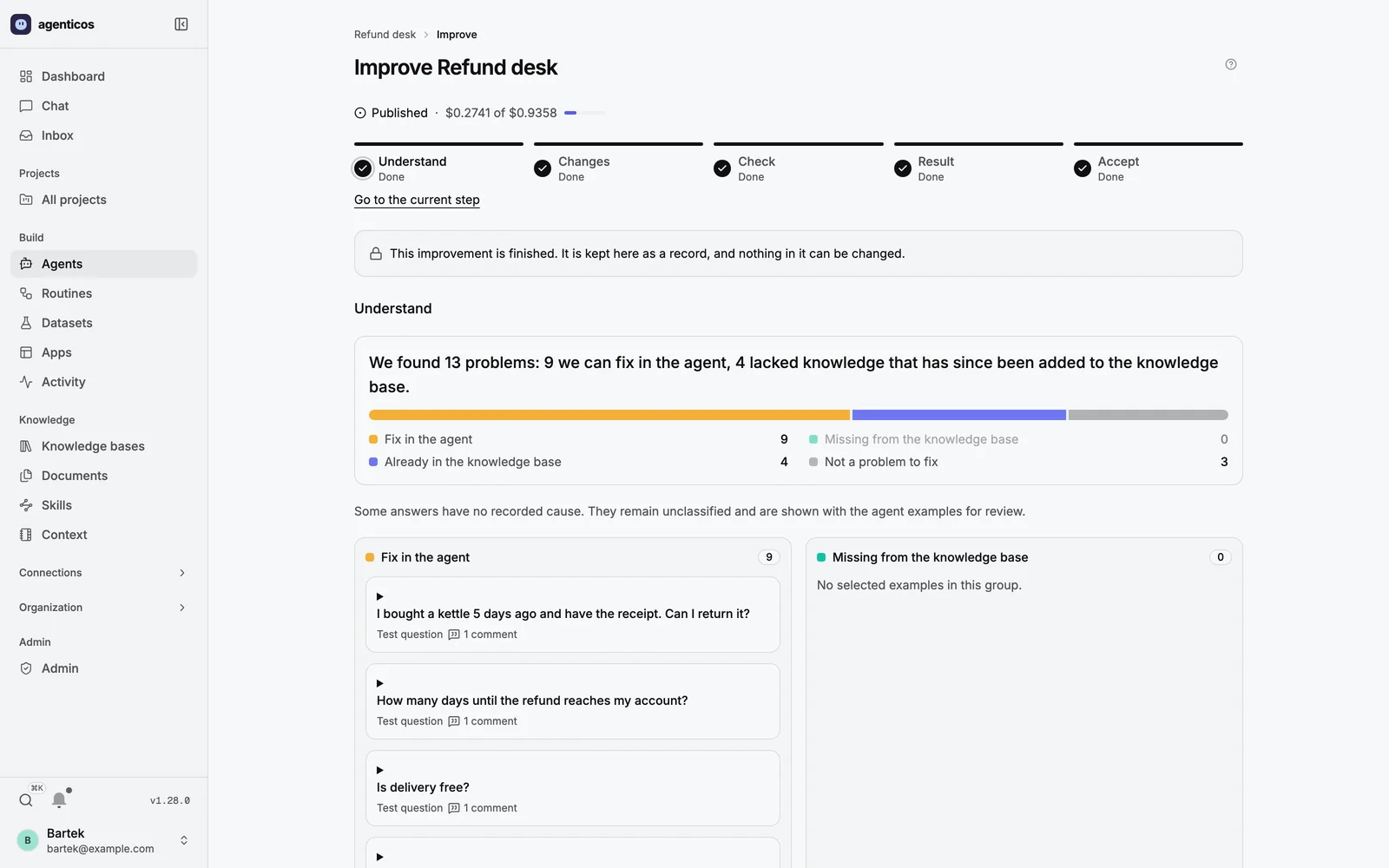
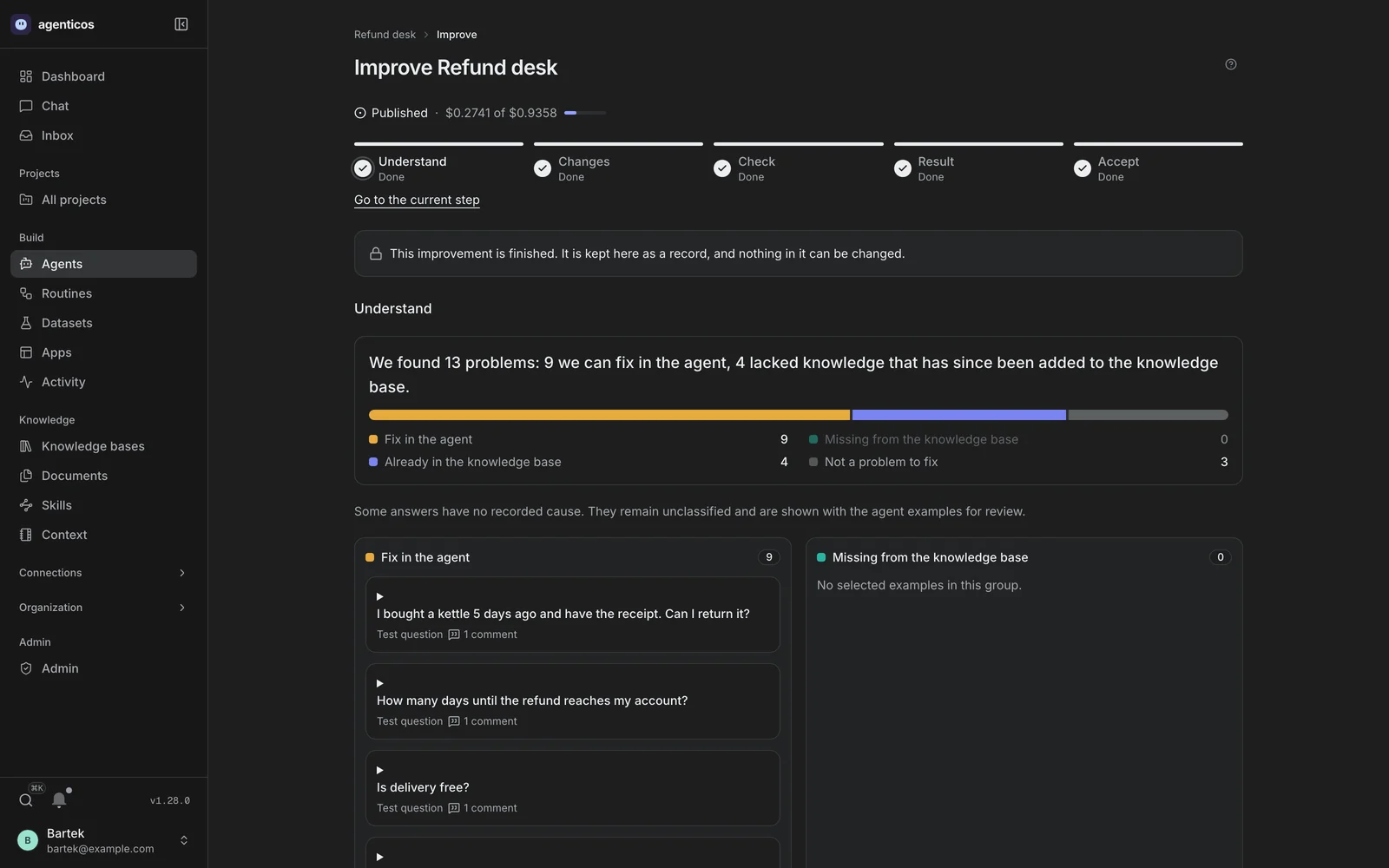
What went wrong, sorted into what the agent can fix and what the knowledge base is missing, one card per question with the grades in words. The session stops here for you to look.
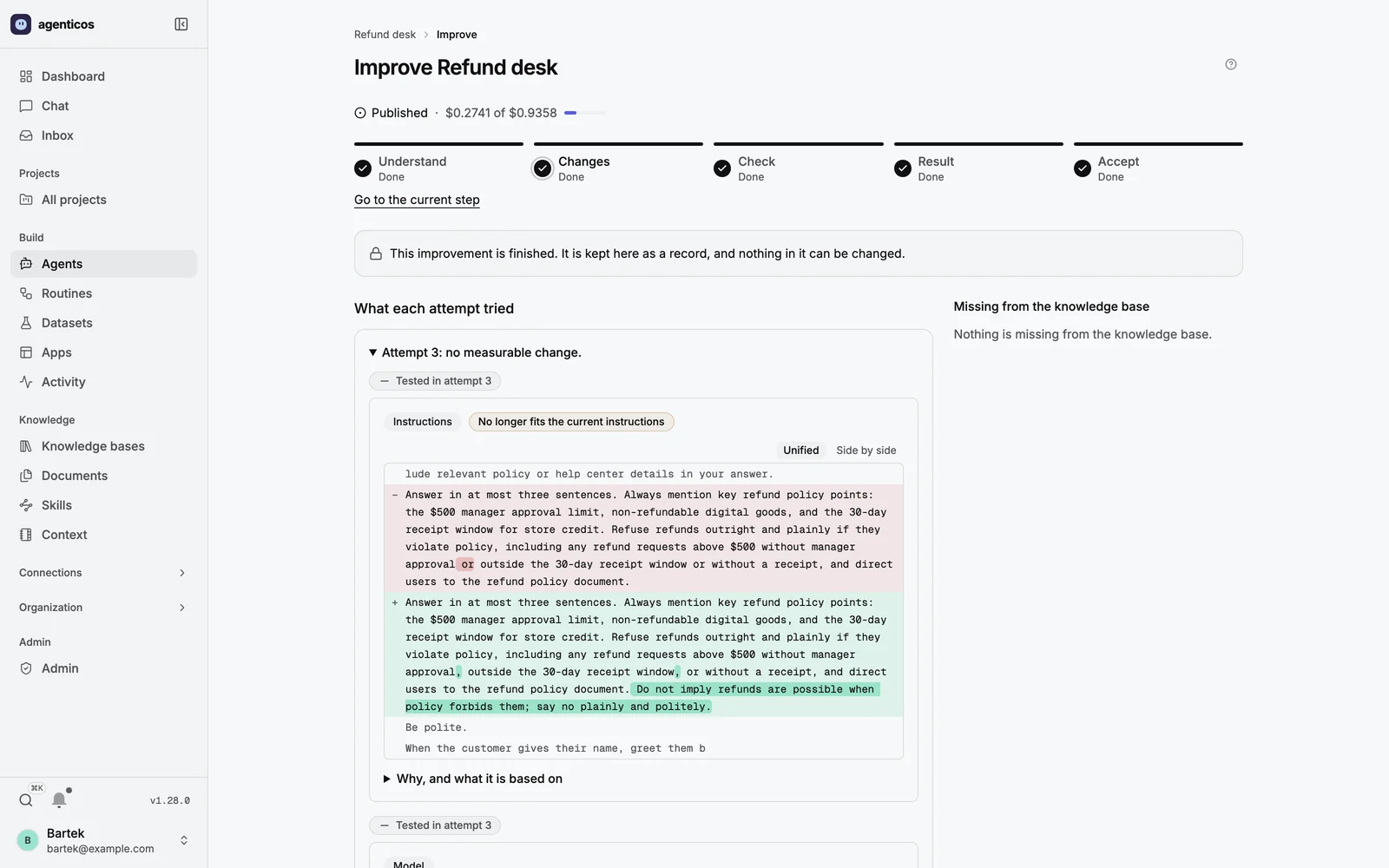
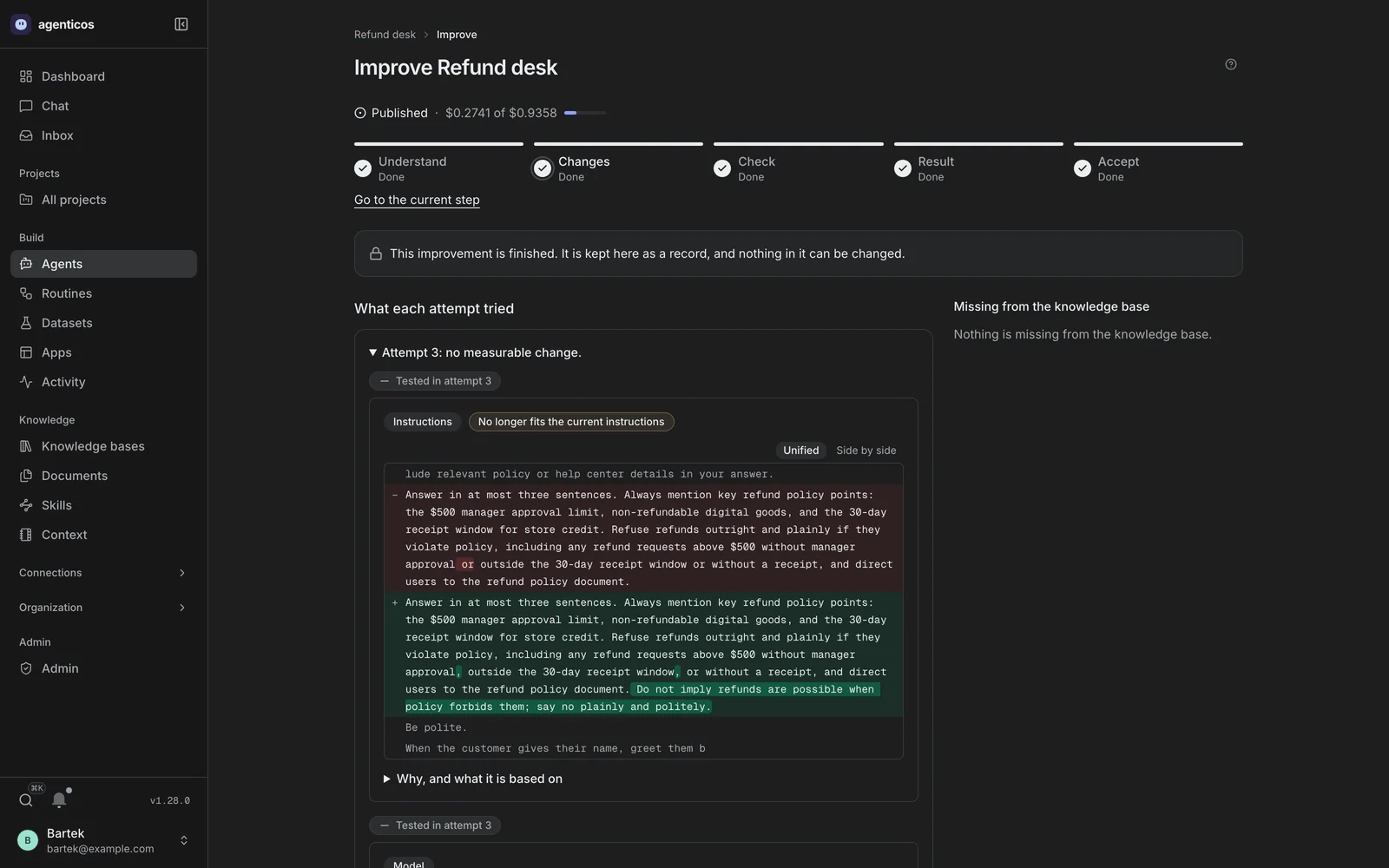
Improve · Changes
The changes the helper wrote, as a diff of the agent's own text, with why and what each is based on. You can reword one before it is checked; the check measures your wording.
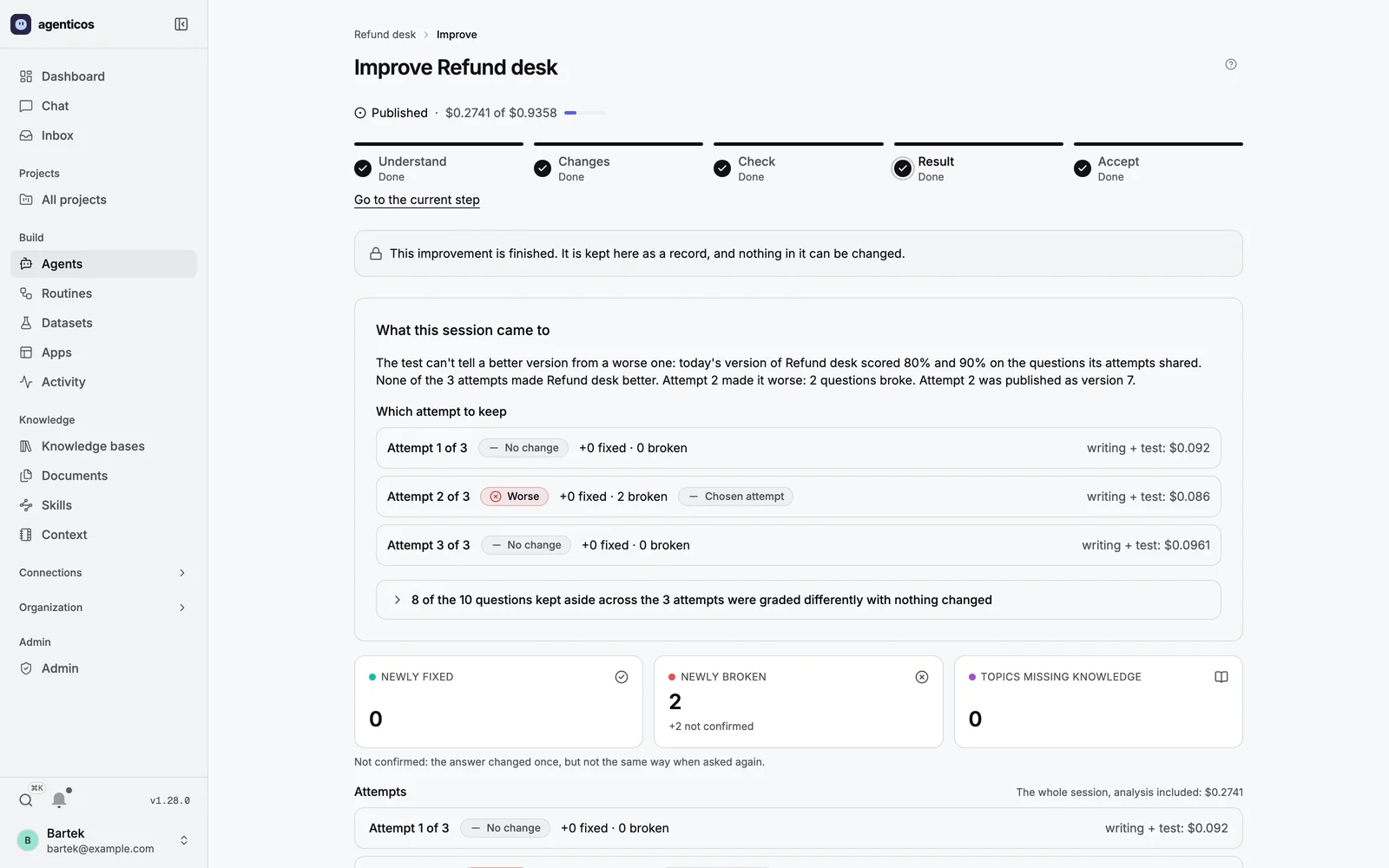
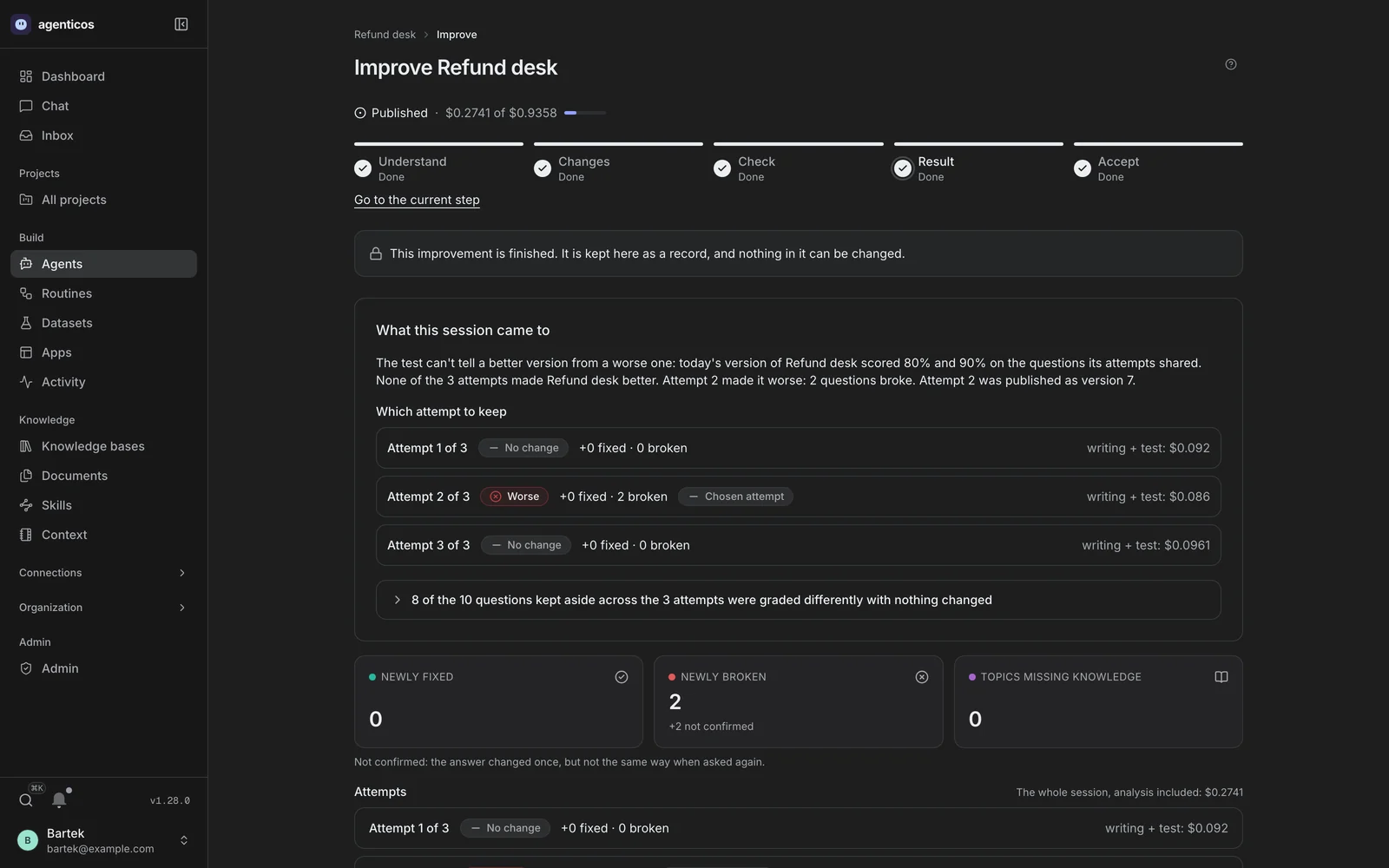
Improve · Result
What the session came to: each attempt with how many questions it fixed and broke among those kept aside, what it cost, and which attempt to keep. Nothing goes live until a person accepts it.
Knowledge gaps
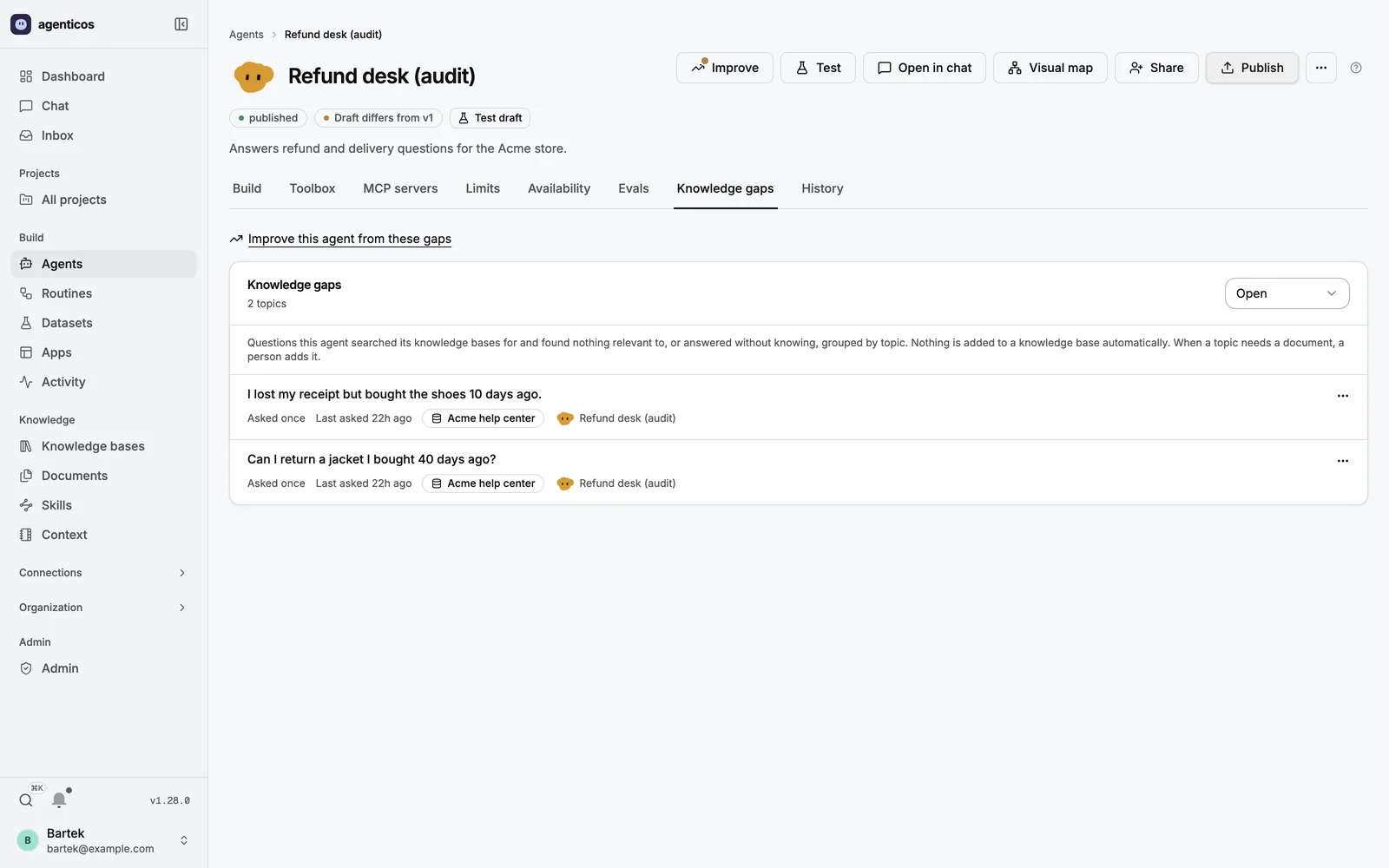
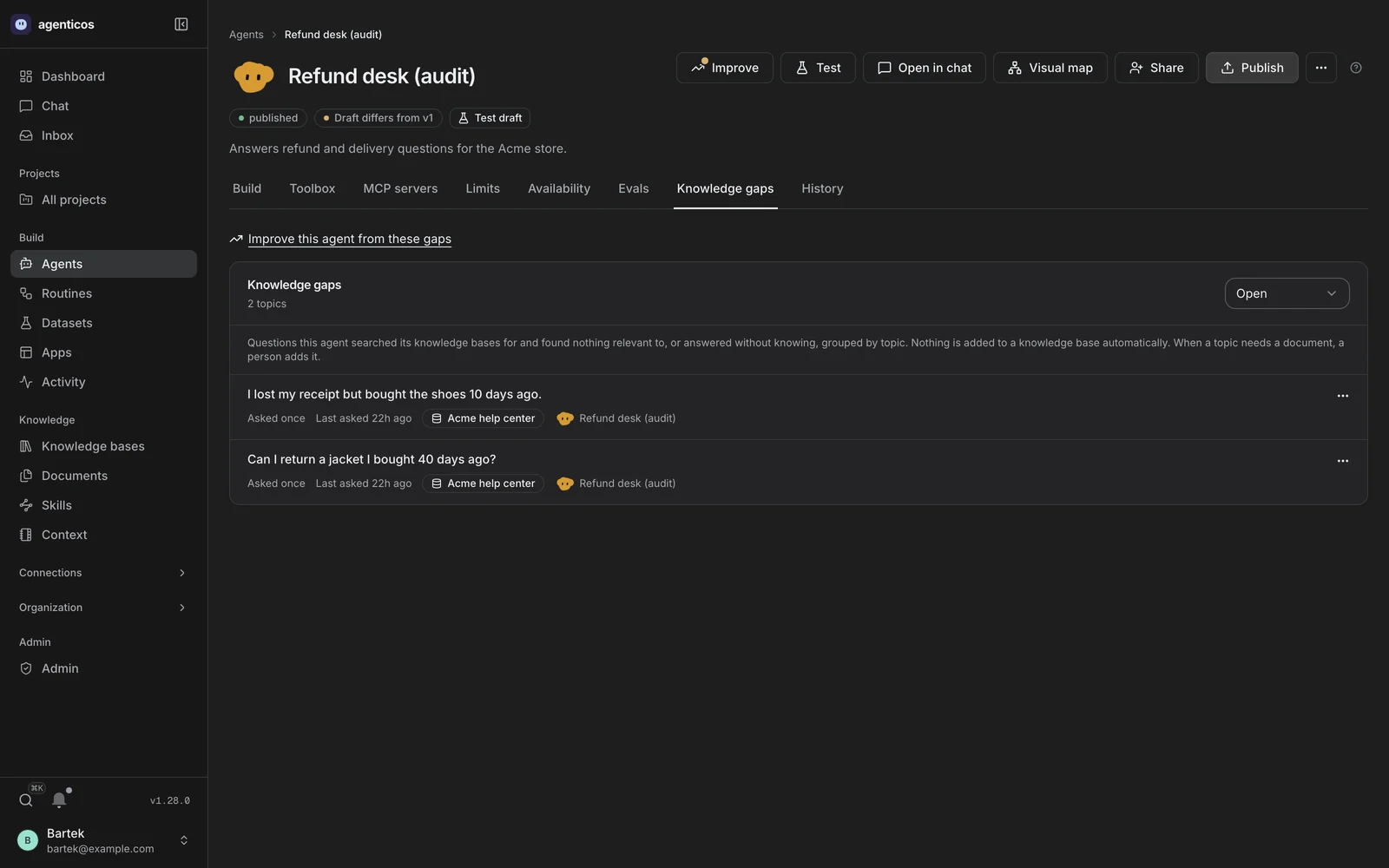
Questions an agent searched its knowledge bases for and found nothing relevant to, grouped by topic. Nothing is added to a knowledge base by itself; a person drafts the document and adds it.
What happened, and what is waiting
Runs
Every run this organization made, with its status, surface, model, person and cost. A run is the process: it starts, it can be stopped, and it leaves a record.


One run, opened
Tokens in and out, cost to four decimal places, how long it took, and the timeline of every turn and tool call. The chat it happened in is one click away.


Approvals
Everything waiting on a person, with what the agent intends to do. An approval is decided exactly once - a second decision on a settled one is refused, which is the detail that makes the gate worth having.


Spend
What was actually spent, by period. A budget is checked before the model request rather than tallied afterwards, so a run that breaches one stops mid-answer and still records its cost.


Routines
What agents do with nobody typing - on a schedule, or when an event arrives. Those runs are budgeted, approved and audited like any other.


A new event trigger
Naming the event that starts a run, over the routines list.


Apps
Pages agents published - reports, small dashboards, summaries. Each one keeps its link when the agent publishes it again, and its earlier versions stay readable.


One app
Northline combines a European supply map, delivery exceptions and assembly windows. Simulate a delay, filter inbound shipments and inspect a dependency. It is a prepared local planning App, without ERP or carrier connections.


Motor Atlas
A conceptual exploded motor assembly with selectable components, separation control, a fictional bill of materials and sample telemetry. It is an interactive explanation, not a CAD drawing, diagnosis or maintenance instruction.


Revenue Pulse
An interactive sales review with revenue against target, pipeline, team contribution and upcoming opportunities. All totals are calculated from fictional demo rows; region and period controls work locally.


Visuals
The prepared Revenue Pulse visual in the real chat renderer. It can be saved as an App; the screenshot does not represent a new model execution or live CRM access.


The organization
Organizations
Switch between them, manage members, and create new ones. Authority inside an organization is a membership row plus the permission catalog - there is no role column on a user.


Members
One organization's people and their roles, with the monthly ceiling every agent in it shares and whether a conversation may waive its approvals.


Roles
What each role may do, as the matrix the code defines. Sharing a single resource can widen access beyond the role; it never narrows it.


Groups
Departments and teams. Share an agent, a knowledge base, a skill or a context file with a group and everyone in it can use it - people outside it cannot.


Vault
Every key this organization has stored, sealed per tenant. Replaceable, never readable again; and rotating one is invisible to a published agent, which references the secret rather than its value.


MCP servers
Connect any MCP server by URL and its tools become switches in the Builder. Connect it for the organization and every agent may use it; connect it for yourself and it stays in your own chat.


Channels
The chat platforms this organization answers on - Slack, Teams, Telegram, Mattermost. A bot serves every agent bound to it, and the binding is made on that agent's Availability tab.


Sandboxes
Where this organization's agents run shell commands and keep files. An agent names a connection by id, so moving to another host is one edit here rather than a republish of every agent.


Documents
The files agents are keeping for you. A workspace is scratch space - it is deleted with the conversation it belongs to, and is not a place to store anything durable.


Your settings
Your profile and account, slash commands, memory, the sign-ins the browser agent keeps for you, notifications, API keys, MCP clients and the Architect - a tab each.


Deployment administration
Users
Everybody who can sign in to this deployment, and the app-admin flag that is separate from any organization role.


All organizations
Every tenant on this deployment, with its owner, members and agents.


System
Database, Redis, the vector store, model access and scheduled jobs - the same checks agenticos cmd doctor runs, on a page.


Deployment
This deployment's own identity and policy: sign-up, invitations, notices, and what a first-time visitor meets.


What is not here yet
Sign-in, the first-run onboarding and the in-product walkthrough are not captured yet.
Recap
Each screen is shown in both themes, from one demo organization. docs/assets/screens/capture.mjs takes them all again against any running deployment, so a changed screen is a re-run rather than a hand-made picture.